


File transfer and conversion. Transfer 5 1/4" floppy disks to CD format. Convert Zip disks to CD. 3 1/2 and 5.25 floppy disc to DVD transfers. Apple, MAC floppy disk transfers and data recovery. PC and DOS disk transfer and data recovery.
"One day our computers just stopped working. Our server had crashed. We sent our drive to CTE Computer Data Recovery and they restored all of our client and billing files back to working order. Fast and friendly service."Law Offices of Steven Pennington
File Format Conversion Service
Turn those old formatted files into accessible data!
Fast Turnaround Old Word Processor Files - CONVERTED TO - New Word Processor Files
Still have valuable data, documents, word processor files, spreadsheets, and databases in old file formats that can not be read with today's software? Your solution is our File Conversion Service. We will convert your old format files into a current format for you to read or edit using your current programs.
Upload or Send us your old formatted files.
We'll convert the files into a current format based upon your needs.
Your data in your new current format will then be returned via email, internet download, or a CD will be created.
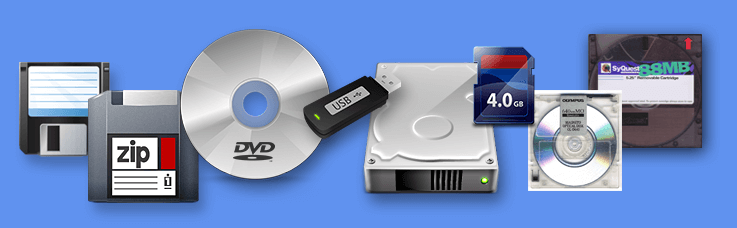
A great example of File Conversion is having your old word processor files converted into new formats so you can open and edit them on current programs, such as Microsoft Word. File Conversion is for files that are on currenlty readable media, such as a CD, DVD, Memory Card, Zip files, Email Attachment, etc. If your files are still on older style floppy or zip disks, etc, they must be Transferred first using our Disk Copy Service.
File Conversion Service Rates
In order to receive an estimate for the File Conversion Service, please provide all of the information listed below. Rates for this service are based upon the following factors:
1. Number of files to be converted.
2. Total data size and amount (Total number of kb of all files).
3. Original format the files are currently in (name and version of the original program used to create the files).
4. The new format you would like the files converted into (name and version of the current program you would like to use).
To print out the File Conversion
submission form, click here.
We can convert many of the file formats listed below, often maintaining the majority of the original formatting including margins, tabs, paragraphs, fonts, etc. Please note that each file is unique and we do not guarantee that every file can be successfully converted. If it cannot be fully converted, you can ask us to do a "Text Only" recovery if necessary.
In most cases, the following types of files can be converted:
Word Processor Formats
Convert?
Access Data Base
Yes
Adobe Portable Document Format (PDF)
Yes
Ami Professional (1.x, 2.x, 3.x)
Yes
ANSI Text
Yes
ANSI Text (printer-oriented)
ASCII Text
Yes
ASCII Text (printer-oriented)
Brother Word Processors (720K)
Yes
Brother Word Processors (1.44M)
Yes
Comma-Separated Values
Yes
Corel WordPerfect 6.x
Yes
Corel WordPerfect 7, 8, 9, 2000+
Yes
dBase III, IV, 5.0
Yes
DCA/RFT (Revisable Form Text)
Yes
DisplayWrite 2, 3, 4, 4.2, 5, 5/2
Yes
DisplayWrite Assistant
Yes
EDGAR (legacy-ASCII)
Excel 97, 2000+
Yes
Enable WP 1.0
Yes
Enable WP 2.0, 3.0 (OA), 4.0, 4.5
Yes
First Choice 1.x
Yes
First Choice 2.x
Yes
FoxPro 2.x
Yes
GeoWrite
Yes
HTML (HyperText Markup Language)
Yes
IBM DCA/RFT (Revisable Form Text)
Yes
IBM DisplayWrite 2 to 5/2
Yes
IBM DisplayWrite Assistant
Yes
IBM Personal Typing System
Yes
IBM Signature
Yes
IBM Writing Assistant
Yes
InterScript
Leading Edge WP
Yes
Lotus Manuscript 1.0
Yes
Lotus Manuscript 2.0, 2.1
Yes
Mass-11 (PC-based)
Yes
Mass-11 (VAX-based)
Yes
MS Access
Yes
MS Jet data base
Yes
MS Excel 97 and higher
Yes
MS Excel 2003 XML
Yes
MS Office 2003 XML
Yes
MS PowerPoint
Yes
MS RTF (Rich Text Format)
Yes
MS Works (Dos) 1.0, 2.0
Yes
MS Works (Windows) 3.x, 4.x
Yes
MS Word (Dos) 1.0 to 5.5
Yes
MS Word (Windows) 1.0
Yes
MS Word (Windows) 2.0, 6.0
Yes
MS Word 7 (Office 95)
Yes
MS Word 8 (Office 97)
Yes
MS Word 2000
Yes
MS Word 2002 (XP)
Yes
MS Word 2003
Yes
MS Word 2003 XML
Yes
MS Word 2007 native (.DOCX/.DOCM)
Yes
MS Word (Mac) 4.0, 5.0
MS Write (Windows)
Yes
Multimate 3.2 to 4.0
Yes
Multimate Advantage, Advantage-II
Yes
NewWord
Yes
Nota Bene versions 2, 3
Yes
Nota Bene 4.x
Yes
Nota Bene for Windows
Yes
Nota Bene Lingua, Lingua+, Lingua/WS
Yes
ODBC data bases
Yes
PC Write 2.71 - 3.x
Yes
PDF (Adobe Portable Document Format)
Yes
Personal Typing System (PTS)
Yes
pfs:First Choice 1.x
Yes
pfs:First Choice 2.x, 3.x
Yes
pfs:Professional Write 1.x
Yes
pfs:Professional Write 2.x, 3.x
Yes
pfs:Write 1.x
Yes
pfs:Write 2 (Spinnaker)
Yes
PowerPoint
Yes
Professional Write 1.x
Yes
Professional Write 2.x
Yes
Quote-delimited format
Yes
RTF (Rich Text Format)
Yes
Samna Word IV, 1.x, 2.x
Yes
Samna Plus IV, 1.x, 2.x
Yes
Separated/Delimited Format
Yes
Signature
Yes
Spellbinder 1.x - 5.x
Yes
Spellbinder Desktop Publisher 6.x
Yes
Spinnaker Write
Yes
Tab-separated format
Yes
Total Word
Yes
Unknown - Text Recovery
Yes
Volkswriter Deluxe
Yes
Volkswriter 3
Yes
Works (Dos) 1.0, 2.0
Yes
Works (Windows) 3.x, 4.x
Yes
Word (Dos) 1.0 to 5.5
Yes
Word (Windows) 1.0
Yes
Word (Windows) 2.0, 6.0, 7.0
Yes
Word 8 (Office 97)
Yes
Word 2000
Yes
Word 2002 (XP)
Yes
Word 2003
Yes
Word (Mac) 4.0, 5.0
Write (Windows)
Yes
WordMarc Composer, Composer+
Yes
WordMarc WP
Yes
WordPerfect 4.x
Yes
WordPerfect 5.x
Yes
WordPerfect 6.x (Dos)
Yes
WordPerfect 6.x (Windows)
Yes
WordPerfect 7, 8, 9, 2000+ (Windows)
Yes
WordStar 2.x, 3.x, 4.x
Yes
WordStar 5.0, 5.5, 6.0, 7.0
Yes
WordStar-2000, 1.x, 2.x, 3.x
Yes
Writing Assistant
Yes
XyWrite II, III, III+
Yes
XyWrite 4.x
Yes
XyWrite-IV for Windows
Yes
Please note that each file is unique and we do not guarantee that every file can be successfully converted. If it cannot be fully converted, you can ask us to do a "Text Only" recovery if necessary.
While conversion may be 100% accurate based upon the original files, we highly encourage the client to review and proof each converted file. The client assumes final responsibility to be sure the end files are correct and error free.
If you have any further questions on our File Conversion Service, send us all of the information listed above,
.
Have questions? Call our Data Recovery Experts at (562) 421-7105.
Check out the FAQ for answers to common questions regarding the data recovery process. Full Drive Submission instructions are here.
CTE Computer Data Recovery Masters has helped companies and individuals across the country. Let us get your data back up and running fast.
Still have those old style Zip Disks around? Do you want to get the data that is on those Zip Cartridges?
Our Zip Disk Transfer Service is the answer. Your data will be transfered off your 100 MB Zip Cartridges, your 250 MB Zip Disks, or your 750 MB Zips. Your data will then be mastered to a CD or DVD.
Mac Zip Disks and PC Zip Disks and DOS Zip Cartridges are processed fast.
Entire site copyright Data Recovery Masters, CTE Computer. All Rights Reserved. No reproduction in any form permitted.